
How Professional Editing Elevates Your Wedding Images
- 3 days ago
- 7 min read

Professional editing transforms raw wedding photos into polished, emotionally resonant images that couples display and cherish for decades. The process, known in the industry as post-production, covers far more than basic brightness adjustments. It includes exposure correction, frequency separation retouching, and color grading applied as a unified artistic system. Understanding how professional editing elevates wedding images helps you appreciate what you are actually paying for and why the results look so different from unedited files or amateur touch-ups. Ataviaweddings has built its reputation across more than 1,600 weddings on exactly this kind of disciplined, artistry-driven post-production.
How professional editing elevates wedding images: the full workflow
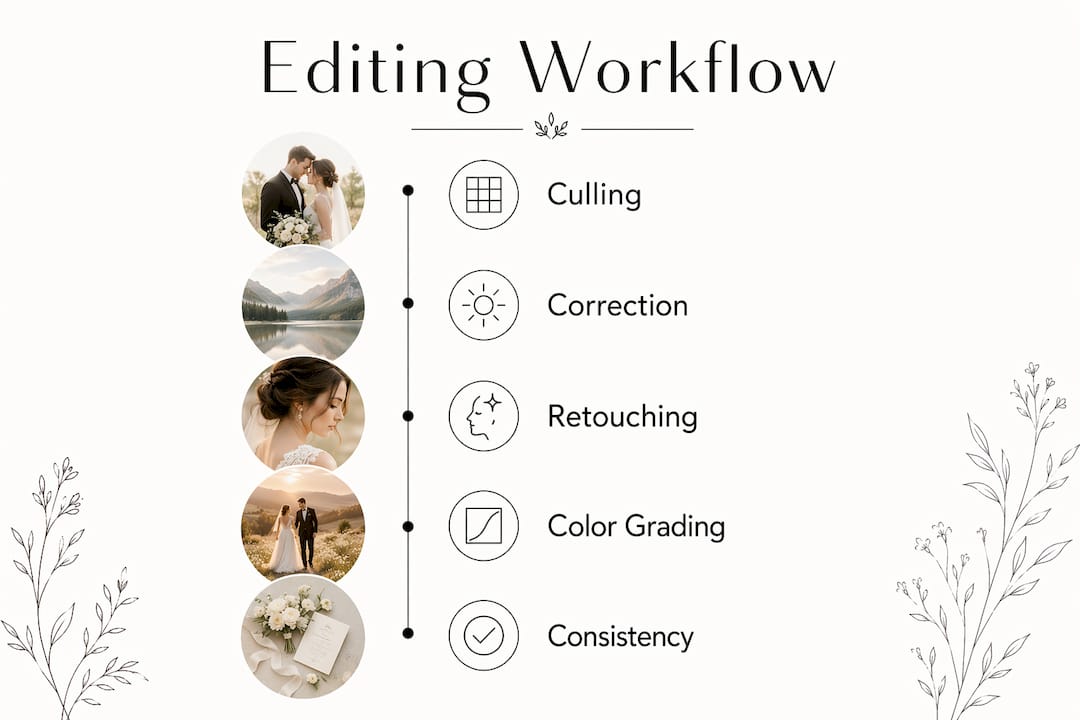
Professional wedding photo editing follows a staged, structured workflow covering culling, technical correction, retouching, and color grading. Each stage builds on the last, and skipping any one of them shows in the final gallery.
Culling. The editor reviews every frame and selects only the strongest images. This step protects you from receiving hundreds of near-identical or technically flawed shots that dilute the gallery’s impact.
Exposure and color correction. White balance errors, blown highlights, and underexposed shadows get fixed here. These are technical problems the camera creates automatically, and correcting them is the foundation every other edit rests on.
Detailed retouching. Skin blemishes, stray hairs, dress wrinkles, and background distractions are addressed individually. This stage is the most time-intensive part of the workflow.
Color grading. The editor applies a consistent tonal style across the entire gallery. Warm highlights for golden-hour shots, cooler midtones for indoor receptions, and neutral shadows throughout create a unified visual mood.
Final review and export. Images are checked for consistency before delivery. File formats, resolution, and color profiles are set for both print and digital use.
Pro Tip: Ask your photographer how many images they deliver and what their average turnaround time is. A solo photographer can spend 20–60 hours on post-production for a single wedding. Faster delivery without that time investment usually signals a lighter editing process.
How does professional retouching preserve natural beauty?
Retouching is the stage couples worry about most, and for good reason. Poor retouching produces the plastic, waxy look that makes wedding photos feel fake. Good retouching is nearly invisible.
Frequency separation is the gold standard technique for skin work. It splits the image into two layers: one holding skin texture (pores, fine lines) and one holding tone and color. The editor corrects uneven skin tone on the tone layer without touching the texture layer. The result is smooth, even skin that still looks like real skin under close inspection.
The alternative, which less experienced editors rely on, is blurring the entire skin surface. That approach removes pore detail and creates the plastic appearance couples dread. Over-smoothing and oversaturation are the two most common retouching mistakes, and both reduce the emotional authenticity of the image.
Pro Tip: When reviewing a photographer’s portfolio, zoom into close-up portraits at 100%. If you cannot see any pore detail on the skin, the retouching is too heavy.
The table below shows the practical difference between careful and careless retouching.
Retouching approach | Result on final image |
Frequency separation on skin | Even tone, preserved texture, natural appearance |
Blur-based skin smoothing | Waxy, artificial look, lost pore detail |
Targeted blemish removal | Clean skin with personality intact |
Aggressive spot removal | Patchy, inconsistent skin surface |
Subtle background cleanup | Distraction-free image, authentic setting |
Heavy background removal | Sterile, studio-like feel that kills atmosphere |
Great retouching enhances without erasing identity. Professionals know when to stop, and that restraint is a skill that takes years to develop.
Why is color correction and grading critical to wedding storytelling?
Color is the single most powerful tool for setting emotional tone in a photo. A technically sharp image with wrong color feels cold and off. The same image with accurate, graded color feels alive.
Color correction and grading work in two distinct phases:
Technical correction fixes objective errors. White balance brings the dress back to true white. Highlight recovery pulls detail out of overexposed areas like bright windows or outdoor sunlight. Shadow lifting reveals detail in dark suits and low-light reception shots.
Creative grading applies a deliberate artistic style. Editors repair white balance and blown highlights first, then shape midtones and shadows to build mood. Warm highlights evoke the feeling of a golden-hour ceremony. Slightly desaturated greens in outdoor shots give a timeless, film-like quality. Lifted shadows in reception photos soften the contrast and add warmth.
Color grading is treated as a systemic artistic workflow step rather than a series of isolated fixes. That distinction matters because isolated fixes produce inconsistent results across a gallery. A systemic approach means every image shares the same tonal DNA, which is what makes a gallery feel like a single cohesive story rather than a collection of separate photos.
Color choices also affect how images age. Heavily trendy grades, like extreme faded blacks or hyper-teal shadows, look dated within a few years. Neutral, warm-leaning grades hold up across decades. That is why the best editors prioritize timelessness over what is currently popular on social media.
How does editing consistency make a whole gallery feel professional?
A single stunning image is impressive. A gallery of 400 images that all feel like they belong together is what separates professional work from amateur results.
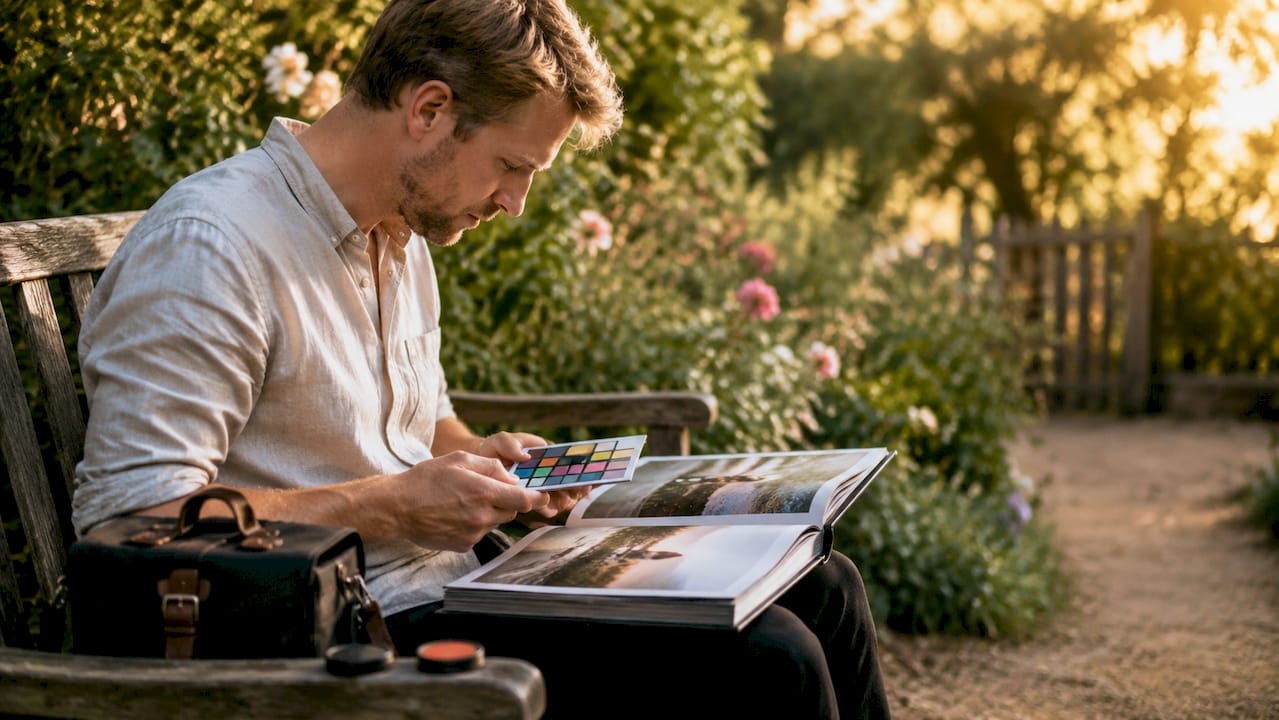
Consistency across a wedding gallery comes from a specific technical practice: editors select a hero image from each lighting scenario and edit it to the desired look, then sync those settings across every other photo taken under similar conditions. A ceremony shot in bright outdoor light gets one hero edit. A reception shot under warm tungsten lighting gets another. The two sets are graded to feel related without being identical.
Without this approach, color temperature drift becomes visible. The bride’s dress shifts from warm cream in ceremony shots to cool white in reception photos. Skin tones look different from one room to the next. The gallery feels disjointed even if individual images look fine in isolation.
Using presets and batch-syncing edits is not about taking shortcuts. It is about applying a unified artistic vision at scale. The creative decisions happen at the hero image level. The batch sync delivers those decisions consistently across the full gallery.
The table below shows how consistent editing affects the couple’s experience of their gallery.
Gallery element | Without consistency | With professional consistency |
Skin tone across venues | Shifts between warm and cool | Unified and natural throughout |
Dress color accuracy | Varies from cream to stark white | True white maintained in all shots |
Mood and atmosphere | Disconnected from scene to scene | Cohesive emotional arc across the day |
Delivery time | Slower due to image-by-image fixes | Faster through structured batch workflow |
Key takeaways
Professional wedding photo editing is the difference between a raw file and a finished image worth printing, framing, and passing down.
Point | Details |
Structured workflow matters | Culling, correction, retouching, and grading each serve a distinct purpose in the final result. |
Frequency separation is the standard | Skin retouching done right separates texture from tone to avoid the plastic look. |
Color grading tells the story | A systemic grading approach unifies mood and preserves timelessness across the full gallery. |
Consistency defines quality | Hero image syncing prevents color drift and creates a cohesive visual narrative. |
Over-editing destroys authenticity | Oversaturation and heavy smoothing are the most common mistakes that reduce emotional impact. |
What 16 years of editing thousands of weddings actually taught me
Most couples think editing is about fixing problems. After working on over 1,600 weddings at Ataviaweddings, I can tell you the real job is something different. Editing is about making the emotion in the photo legible. The photographer captures the moment. The editor makes sure nothing technical gets in the way of feeling it.
The biggest misconception I see is that more editing means better photos. The opposite is true. The images that hold up best over time are the ones where you cannot tell what was done. The skin looks real. The colors look like the day actually looked. The light feels like you were standing in that room.
The mistake I see most often from less experienced editors is chasing a trend. A heavily faded, low-contrast look might feel current right now. Five years from now, it will date the photos immediately. Couples deserve editing that will still feel right when they pull out their album in 2040.
The second mistake is treating every image as a standalone fix rather than part of a series. A wedding gallery is a story. The editing has to carry that story from the getting-ready shots through the first dance without the visual mood lurching between scenes. That requires discipline and a clear artistic vision applied from the first image to the last.
Couples who understand this ask better questions when hiring a photographer. They look at full galleries, not just highlight reels. They ask about turnaround time and workflow. Those questions reveal whether the photographer treats editing as a craft or an afterthought.
— Atavia
See the difference Ataviaweddings’ editing makes
Ataviaweddings brings over 16 years of post-production experience to every wedding gallery it delivers. The editing process behind each image follows the same structured workflow described here: careful culling, technical correction, frequency separation retouching, and a consistent color grade applied across the full day. Every couple receives a gallery where the images feel like they belong together, from the first look to the last dance. Browse the wedding photo gallery to see how that consistency looks across real weddings. When you are ready to talk about your own day, the photography and video packages lay out exactly what is included in post-production.
FAQ
What does professional wedding photo editing include?
Professional wedding photo editing includes culling, exposure and color correction, detailed retouching, and color grading. Each stage addresses a different layer of image quality, from technical accuracy to artistic mood.
How is professional editing different from amateur editing?
Professional editing uses structured workflows, techniques like frequency separation, and hero image syncing to produce consistent, natural results. Amateur editing typically applies basic filters or adjustments without a system, which leads to inconsistent color and over-processed skin.
How long does wedding photo editing take?
A solo photographer spends 20–60 hours editing a single wedding. Structured workflows reduce that time while maintaining quality, which is why efficient post-production directly affects how quickly you receive your gallery.
Why does color grading matter for wedding photos?
Color grading sets the emotional tone of the entire gallery and keeps images looking cohesive across different lighting conditions. Without it, photos from the ceremony and reception can feel like they came from two different events.
Can over-editing ruin wedding photos?
Yes. Over-smoothing and oversaturation are the most common editing mistakes and both reduce the natural, emotional quality that makes wedding photos meaningful. The best edits are the ones you do not notice.
Recommended
Comments